


OnlySearch Review: 13 Filters to Find the OnlyFans Creator You Crave
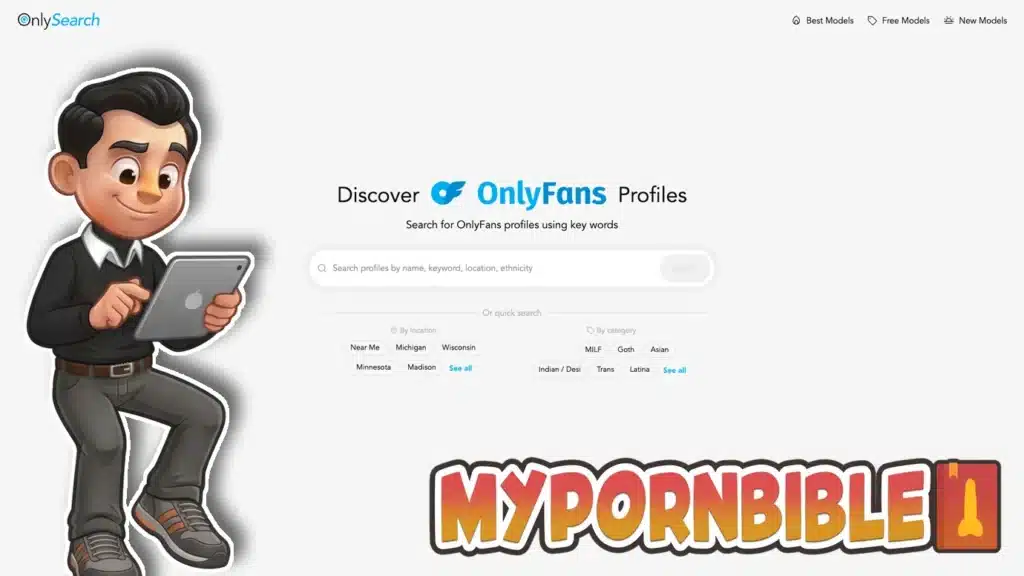
Image created using advanced AI technology, professionally refined by MyPornBible editorial team.
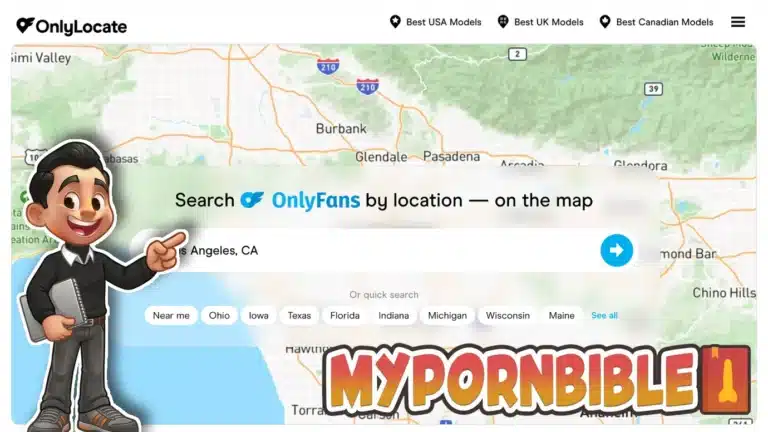
OnlyFans is full of creators you would love, but it gives you almost no way to find them. OnlySearch fixes that: type a mood, a look or a niche, open a filter or two, and a wall of matching pages appears, each one a click away from the creator's own OnlyFans.
OnlySearch review: what does it do for an OnlyFans fan?
OnlySearch is a free search engine for OnlyFans creators: you describe who you want to see, and it shows you the matching pages. OnlyFans itself mostly finds people by their username, so if you don't already know a name, you are left scrolling social media for links. OnlySearch turns that around and lets you start from a taste instead.
The home page says it has indexed 4 million public OnlyFans profiles and keeps more than 620,000 active creators, each tagged by niche, look and location from what they show on their own page. You can type a simple idea, like "petite latina" or "goth girls", or a name or username if you already have one in mind.
It has been running since November 2020, and the site counts more than 2.5 million searches a month. Every result leads to the creator's own OnlyFans page, where you subscribe as usual.
Think of OnlySearch as the search box OnlyFans never gave you: start with a fantasy and end up on the right creator's page.
How do the 13 filters narrow the crowd?
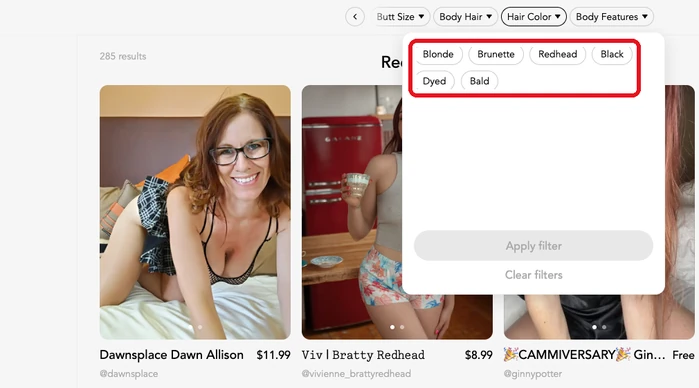
A search for redhead milf with the Hair Color filter open: the red box marks its six options, right under the Hair Color chip
Once you run a search, the filters sit in a row under the search box (on a computer, the arrow at the end of the row brings up the rest), and each one opens a small menu of choices: pick what you like and tap Apply filter. On November 20, 2026, OnlySearch's search page offered 13 filters: Gender, Location, Age, Price, Interests, Sexuality, Ethnicity, Body Type, Breast Size, Butt Size, Body Hair, Hair Color and Body Features.
They stack, so you can get very precise. A search for "redhead milf" on November 20, 2026 returned 285 creators, and the Hair Color menu offered Blonde, Brunette, Redhead, Black, Dyed and Bald. Add a Body Type or a Price range on top and the wall of faces quickly turns into a shortlist.
| Filter group | What it narrows | Good for |
|---|---|---|
| Look | Body Type, Breast Size, Butt Size, Body Hair, Hair Color, Body Features | Finding the exact look you have in mind |
| Who | Gender, Sexuality, Age, Ethnicity | MILFs, lesbian or trans creators |
| Where | Location | Creators from a country or a city you like |
| What and how much | Interests, Price | A fetish, a content style or a price range |
Results come as photo cards with the creator's name, username and price. Grid View fits several at a glance, and Feed View shows one creator at a time with bigger photos.
What makes the top 10 lists worth a look?
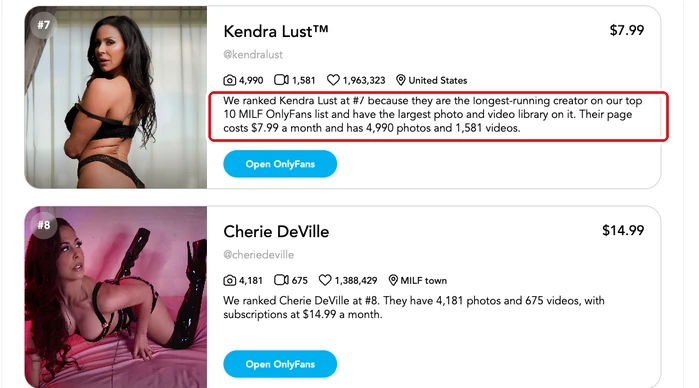
Numbers 7 and 8 of the MILF top 10: the red box marks the line that explains why Kendra Lust ranks where she does
Each niche has its own top 10, which you open from the category chips on the home page or the category index (Best Models in the top menu opens the overall list), and every pick comes with a short line explaining why it is there. The cards show the monthly price (or "Free"), how many photos, videos and likes the page has, the location when the creator shares one, and an Open OnlyFans button.
On the MILF list refreshed on November 19, 2026, OnlySearch was tracking more than 4,500 MILF creators and featured ten of them. Kendra Lust sat at number 7, at $7.99 a month with 4,990 photos and 1,581 videos, and Cherie DeVille at number 8, at $14.99 with 4,181 photos and 675 videos. Others on the same list were free to follow, like Monica MILF at number 6. The list is regenerated whenever that data changes, so the order can shift from one visit to the next.
By OnlySearch's own account, the ranking mixes what people search for and click on the site, reviews from users who subscribed and each account's own numbers, like its price, library and posting activity. That makes the lists a lively mix of famous pornstars and newer creators you would not find on your own.
Open the top 10 of the niche you love, read the one-line reasons and pick the creator whose library matches your mood.
Which categories should you explore first?
OnlySearch counts more than 1,000 categories and locations across 137 countries, and its category index, behind the See all link next to the category chips on the home page, groups the tags into seven families, so you can browse by mood instead of typing. Age covers MILF, Mature, Cougar and Stepmom; Content Types runs from Cosplay, Roleplay and POV to JOI (jerk-off instructions), Feet and Squirting; Body Types goes from Petite and Curvy to Tattoos and Redhead.
Personality Types is the playful corner, with Goth, Emo, Fitness, Nurse, Teacher, Mistress and Hot Wife. The last three families are Ethnicities, Gender & Sexuality (with Lesbian, Gay, Bisexual and Trans) and Nationalities. Two shortcuts are worth knowing: the Free Models list in the top menu gathers pages that cost nothing to follow, and the No PPV list, one tap away in the Content Types box on the home page, gathers creators whose public profile promises no pay-per-view extras.
The niches go deep enough to surprise you, and they are a great way to discover the content styles fans enjoy most.
Location browsing works by country, US state and city, from London and Los Angeles to Sydney. Nationalities adds another way in, handy if you have a soft spot for creators from Italy or anywhere else.
Where do you find fresh ideas for tonight?

The OnlySearch blog's newest roundup on November 20, 2026: 25 gamer girls to follow for the GTA 6 launch
The OnlySearch blog, linked as Blog at the bottom of every page, turns the index into themed roundups, so you get a ready-made list instead of a blank search box. On November 20, 2026, the newest post was "GTA 6 Countdown: 25 OnlyFans Gamer Girls to Follow for the Nov. 19 Launch".
Older posts follow the same fun idea: 20 creators for a Cowboys vs. Packers Sunday night, top cosplay creators for the fall con season, the top 10 free feet accounts and local picks for cities such as Sydney. It is a good place to browse when you are curious but don't have a name in mind.
For brand-new faces, the New Models list in the top menu gathers the freshest creator pages, often with a free or discounted start.
How does it feel on a phone, and what happens when you click?
On a phone, OnlySearch runs in the browser with nothing to install, and the filter row becomes a strip you swipe sideways. The menu button in the top corner holds the main lists, and the top 10 pages show one big card at a time, which is perfect for browsing in bed.
When a creator catches your eye, tap a creator's picture in your results (or the Open OnlyFans button in a top 10) and the creator's own OnlyFans page opens in a new tab, while your OnlySearch results stay where you left them. The subscription, the messages and the content all happen on OnlyFans, at the price the creator sets.
Before you follow your first find, it helps to know how to subscribe without the payment stress.
Switch a search to Feed View when you have time to browse: one creator fills the screen, and the bigger photos make it easier to pick a favorite.
Frequently Asked Questions
Five quick answers before your first search.
Is OnlySearch free, and do I need an account?
Free, and no account is needed. Searching, filtering and the top 10 lists cost nothing; money only comes in on OnlyFans, if you subscribe to a creator.
How many filters does OnlySearch have?
Thirteen, on November 20, 2026: Gender, Location, Age, Price, Interests, Sexuality, Ethnicity, Body Type, Breast Size, Butt Size, Body Hair, Hair Color and Body Features.
Can I browse creators by country or city?
Yes. The See all link next to the location chips on the home page (or Top OnlyFans Locations in the phone menu) opens a page of countries, US states and cities, from London and Los Angeles to Sydney, each with its own list of creators.
What is the difference between Grid View and Feed View?
Grid View shows several creator cards at once; Feed View shows one creator at a time with a large photo.
Is OnlySearch part of OnlyFans?
No. OnlySearch is an independent search engine that sends you to each creator's official OnlyFans page, where the subscription happens.
Is OnlySearch worth a bookmark?
Yes, if you love OnlyFans but hate guessing who to follow. OnlySearch turns a fantasy into a shortlist in a few taps, explains its top picks and sends you straight to the creator's own page.
If you already know exactly who you want, typing that username on OnlyFans is just as quick; OnlySearch shines while you are still choosing, or when you want someone new tonight.
- Search by taste. Type a look, a niche or a mood, not just a username.
- Thirteen filters. From hair color to price, they stack into a precise shortlist.
- Top 10 with reasons. Each pick shows its price, its library and why it ranks.
- Deep categories. Seven families of tags, plus the Free Models and No PPV lists.
- Ideas on tap. Blog roundups and New Models keep the discoveries coming.
Once you have found your favorite creators and want more places worth a visit, our hand-picked lists of the top adult sites cover every taste.