


VR Porn Setup Guide Complete Beginner Tutorial 2026
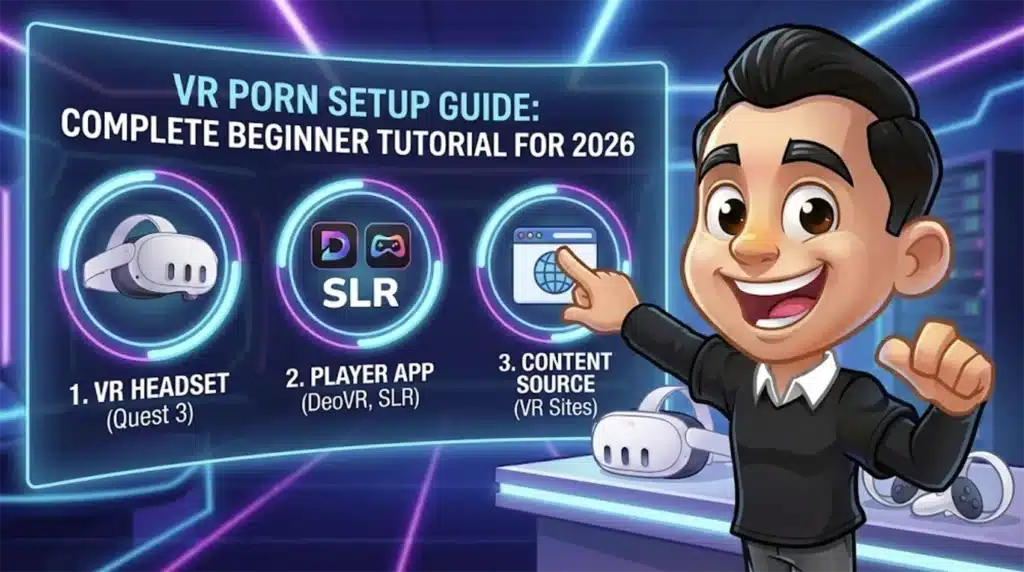
Image created using advanced AI technology, professionally refined by MyPornBible editorial team.
Hardware requirements, best headsets for adult VR, app setup, and quality optimization. From budget-friendly first timers to premium enthusiasts — everything you need to start watching VR porn today.
What Do You Need to Watch VR Porn?
You need a VR headset, a compatible VR video player app, and access to a VR porn site — that's it. No gaming PC required for most setups, no special controllers, and no technical expertise.
The VR porn setup in 2026 is dramatically simpler than it was even two years ago. Standalone headsets like the Meta Quest 3 handle everything internally, meaning you don't need to connect cables to a computer or buy any extra hardware. Plug in, download a player, load a video, and you're in business.
The entire ecosystem breaks down into three components: the headset itself, the software you use to play videos, and the content source where you get the files or streams.
VR porn is not the same as watching a flat video on a big screen. The camera is positioned at eye level, and when you turn your head, the scene moves with you. It genuinely feels like the performer is in the room. First-timers are usually blown away by how immersive it is.
What Is the Best Headset for Adult VR?
The Meta Quest 3 is the best overall headset for VR porn in 2026, offering the ideal balance of resolution, comfort, standalone convenience, and broad app compatibility at $499.
For a premium experience, the Apple Vision Pro delivers the sharpest visuals of any consumer headset, but its $3,499 price tag and limited adult app ecosystem make it overkill for most people. The Meta Quest 3S at $299 hits the sweet spot for budget-conscious buyers who still want respectable quality.
Meta Quest 3 — Best Overall
The Quest 3 is the default recommendation for VR porn newcomers. It runs standalone with no PC needed, supports all major VR porn players (SLR, XBVR, DeoVR), and delivers crisp 4K+ per-eye resolution. The improved lenses over the Quest 2 make a noticeable difference in clarity, which matters enormously when a face is inches from yours in virtual space.
Adult content works seamlessly through the built-in browser or sideloaded apps. Meta doesn't officially support adult content in their store, but the workarounds are simple and well-documented.
Apple Vision Pro — Best Visuals
If money is no object, the Vision Pro produces the sharpest, most lifelike VR porn experience available. The micro-OLED displays and eye-tracking technology create an almost photorealistic image. VR porn studios have specifically optimized content for this headset because the visual jump is that dramatic.
The downside: limited native adult app support means you're relying on browser-based playback, and the headset is heavy for extended sessions.
Meta Quest 3S — Best Value
The Quest 3S costs $299 and delivers about 85% of the Quest 3 experience. The main trade-off is slightly lower resolution and older-style Fresnel lenses instead of pancake lenses. For VR porn specifically, this difference is noticeable but not dealbreaking. Most first-time users won't miss what they've never seen.
Can You Watch VR Porn on a Budget?
Yes — a used Meta Quest 2 for around $150 or a Quest 3S at $299 are the cheapest ways to get a genuine VR porn experience without cutting corners that ruin immersion.
The Quest 2 is the entry-level king. Millions were sold, the second-hand market is flooded with cheap units, and every major VR porn site and app still supports it. The resolution is lower than newer headsets, but it's a massive upgrade over any phone-based VR solution.
Budget Tier: Under $200
Used Meta Quest 2 ($100–$170). This is the absolute cheapest way to get real VR porn. Check Facebook Marketplace, eBay, or local classifieds. Factory reset it, create a Meta account, and you're ready. The image isn't as sharp as newer headsets, but the experience is still miles ahead of flat-screen content.
Avoid phone-based "VR" headsets like Google Cardboard or cheap plastic holders. They provide a novelty demo at best and don't come close to dedicated headset quality.
Mid-Range Tier: $300–$500
Meta Quest 3S ($299) or Meta Quest 3 ($499). This is where the experience goes from "pretty cool" to "holy shit." The resolution bump over the Quest 2 is significant, and the processing power handles 6K and 8K video files that older headsets choke on.
If you're treating this as a real investment in your solo time, the Quest 3 at $499 is the sweet spot. You'll use it regularly enough to justify the price.
Premium Tier: $1,000+
Apple Vision Pro ($3,499) or PC VR setups with high-end headsets. Diminishing returns territory for most people, but the visual quality is undeniably superior. The Vision Pro in particular makes VR porn look almost indistinguishable from having someone physically present.
Best Bang for Buck
The Meta Quest 3S at $299 is the headset we'd recommend to anyone getting into VR porn for the first time. It's affordable enough that you won't feel burned if VR isn't your thing, and powerful enough to deliver a genuinely impressive experience.
How Do You Set Up VR Porn Apps?
The easiest VR porn setup uses the built-in browser on your headset to visit a VR porn site directly — no sideloading, no app installs, no technical fiddling required.
For better performance and features, dedicated player apps like DeoVR and SLR App are free to download and provide smoother playback, better streaming quality, and proper lens correction. Both work on Meta Quest headsets and most other platforms.
Method 1: Browser-Based (Easiest)
Step 1: Put on your headset and open the built-in web browser.
Step 2: Navigate to any VR porn site (SLR, VRPorn.com, Czech VR, etc.).
Step 3: Find a VR video and hit play. The browser handles the VR formatting automatically.
This method requires zero setup and works immediately. The trade-off is slightly lower streaming quality compared to a dedicated app.
Method 2: DeoVR Player (Recommended)
DeoVR is the most popular free VR video player and is available directly from the Meta Quest Store. No sideloading needed. Install it, open it, and you'll see a built-in content browser that links to all major VR porn sites.
DeoVR handles local files too, so if you download VR videos directly to your headset, it plays them with proper VR formatting, head tracking, and lens distortion correction.
Method 3: SLR App (Best Quality)
The SLR (SexLikeReal) app must be sideloaded, meaning you install it outside the official Meta store. The process takes about 5 minutes using a tool called SideQuest on your PC or phone. SLR provides the highest-quality streaming available, with support for 8K resolution and AI-enhanced upscaling.
If you subscribe to SLR Premium, their app is the best way to access the content. The built-in streaming adapts to your connection speed automatically.
Use your home Wi-Fi for streaming, not mobile data. VR porn files are massive — a single 8K video can be 15–20 GB. Streaming at lower quality still uses 2–5 GB per hour. A 5 GHz Wi-Fi connection is ideal for smooth, buffer-free playback.
How to Get the Best Video Quality
The single biggest quality improvement comes from downloading VR porn files to your headset instead of streaming them. Local playback eliminates buffering, compression artifacts, and resolution drops caused by fluctuating internet speeds.
VR porn quality depends on three factors: the resolution of the video file, the playback method, and your headset's display capability. Optimizing all three transforms the experience from "kinda cool" to genuinely jaw-dropping.
Download vs. Stream
Downloading is always better than streaming for VR porn. A 6K or 8K file at full bitrate looks dramatically sharper than a compressed stream of the same video. The downside is file size — expect 8–20 GB per video at the highest quality settings.
Meta Quest headsets have 128 GB or 256 GB of storage. Dedicate at least 64 GB to VR content and rotate files as needed. Connect the headset to your PC via USB-C to transfer files quickly.
Resolution Matters More Than You Think
The difference between 4K and 8K VR porn is enormous. In flat-screen video, 4K is already extremely sharp. But in VR, the image is stretched across a massive virtual field of view, meaning every pixel is magnified. Higher resolution = less visible pixelation = more realistic faces and bodies.
For a detailed breakdown of how resolution and bitrate affect file size, bandwidth, and device performance, our 4K and 8K analysis covers bandwidth and device limits.
Always select the highest resolution your headset supports. For Quest 3 users, 6K is the sweet spot. For Vision Pro, 8K files are worth the storage space.
| Resolution | Quality | File Size |
|---|---|---|
| 4K (3840×1920) | Decent, visible pixels up close | 3–6 GB |
| 5K (5120×2560) | Good, noticeable improvement | 5–10 GB |
| 6K (6144×3072) | Great, sharp and immersive | 8–14 GB |
| 8K (7680×3840) | Best available, near-lifelike | 12–20 GB |
Quick Win
If you change nothing else, switch from streaming to downloading your VR porn. This single step improves visual quality more than upgrading your headset.
Common VR Porn Mistakes to Avoid
The most common VR porn mistake is watching in the wrong playback mode, which distorts the image and ruins the 3D effect entirely. VR videos must be played in the correct format — typically "180° SBS" (side-by-side) — for the 3D immersion to work.
New users regularly make a handful of easily fixable errors that make their first experience underwhelming. Here's what to watch out for.
Wrong Playback Mode
If the video looks stretched, squished, or flat instead of 3D, you're in the wrong playback mode. Most VR porn is shot in 180-degree stereoscopic side-by-side format. Your player needs to be set to "180° SBS" — not 360°, not flat, not top-bottom. DeoVR usually auto-detects this, but some downloaded files require manual selection.
Watching on Low Battery
VR headsets throttle performance when battery drops below 20%. This means lower frame rates, more stuttering, and reduced visual quality — exactly the opposite of what you want during a VR session. Charge your headset fully before use, or keep it plugged in with a long USB-C cable.
Ignoring IPD Settings
IPD (interpupillary distance) is the spacing between your eyes. If your headset's IPD adjustment doesn't match your actual eye spacing, the 3D effect breaks down and you'll get eye strain or headaches. Quest headsets have a physical slider or software adjustment — take 30 seconds to dial it in correctly.
Skipping Lens Cleaning
Foggy or smudged lenses tank your visual quality instantly. Use a microfiber cloth (the same kind you'd use for eyeglasses) and wipe the lenses before every session. Sweat and face oils build up fast, especially during... active viewing.
Clear your VR browser history after each session. Meta Quest headsets store browsing data just like a regular browser. If anyone else uses your headset, they'll see where you've been. Use incognito mode in the headset browser, or manually clear history from Settings > Browser > Clear Data.
Headset Comparison Table
Here's every current-generation headset compared side-by-side for VR porn performance, price, and ease of setup.
| Headset | Price | Standalone | Best For |
|---|---|---|---|
| Meta Quest 3 | $499 | Yes | Best overall |
| Meta Quest 3S | $299 | Yes | Best value |
| Meta Quest 2 | $150 used | Yes | Budget entry |
| Apple Vision Pro | $3,499 | Yes | Best visuals |
| PSVR 2 | $549 | No (PS5) | Console users |
| Pico 4 | $429 | Yes | Quest alternative |
For most people reading this, the Meta Quest 3 at $499 is the headset to buy. It has the widest app support, the best community resources, and hits the perfect resolution-to-price ratio for VR porn. If $499 stings, the Quest 3S at $299 gets you 90% of the way there.
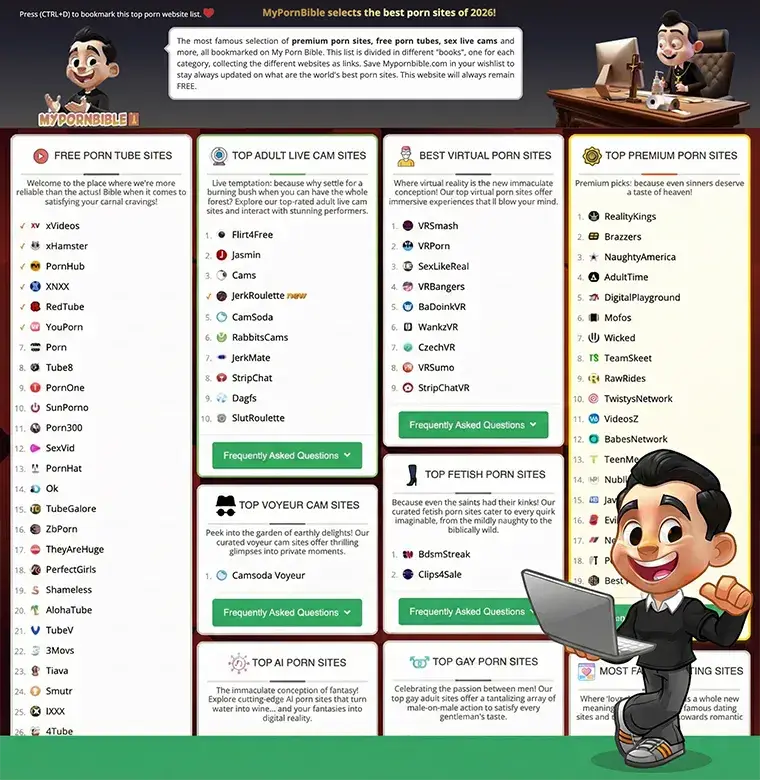
Once you've got your headset dialed in, check out the best VR porn sites ranked and reviewed — the content source matters just as much as the hardware. For a broader look at all adult entertainment categories, explore the full directory at MyPornBible.com.
Final Setup Checklist
- You only need three things: a VR headset, a player app, and a content source. No PC, no extra hardware, no technical background required for standalone headsets.
- The Meta Quest 3 ($499) is the best headset for VR porn in 2026. The Quest 3S ($299) is the best budget alternative. Both are standalone and support all major adult VR platforms.
- Download videos instead of streaming for dramatically better quality. Local playback at 6K or 8K resolution eliminates compression artifacts and buffering issues.
- DeoVR is the easiest player to start with. It's free, available on the Meta Quest Store, and auto-detects VR formats. SLR App offers the best quality for premium subscribers.
- Set your playback mode to 180° SBS for most VR porn. Wrong format settings are the most common reason first-timers think VR porn "doesn't look right."
- Clean your lenses, charge your headset, and adjust IPD before each session. These three-second habits prevent the most common quality complaints.
- Use incognito mode or clear browser history for privacy. VR headsets store browsing data like any other device — manage it accordingly.
VR porn in 2026 is a completely different animal from the blurry, gimmicky experience it was five years ago. Modern headsets and 8K content make it genuinely immersive — the kind of upgrade that makes regular flat-screen content feel outdated.
Whether you're spending $150 on a used Quest 2 or $3,500 on a Vision Pro, the setup process takes minutes. The hardest part is choosing your first video.
Want to discover more? Browse our curated guide to the best porn sites covering every niche imaginable.